


Shoppiline
3D Touch Sensor Auto Bed Leveling Sensor BL Touch BLTouch 3d Printer Parts Reprap mk8 i3 Ender 3 Pro Anet A8 Tevo
3D Touch Sensor Auto Bed Leveling Sensor BL Touch BLTouch 3d Printer Parts Reprap mk8 i3 Ender 3 Pro Anet A8 Tevo
Couldn't load pickup availability


SPECIFICATIONS
Application: Computer
Brand Name: SZFYDOSH
Choice: yes
Condition: New
Dissipation Power: n/a
High-concerned chemical: None
Operating Temperature: n/a
Origin: Mainland China
Supply Voltage: n/a
Type: Module
is_customized: Yes
product description:
The 3D Touch automatic leveling sensor is a device that uses the Hall effect to achieve leveling. The position of the point can be obtained by touching the point on the heating bed, and then compensated by adjusting the Z-axis height during printing, so that printing can be realized even when the platform is uneven.
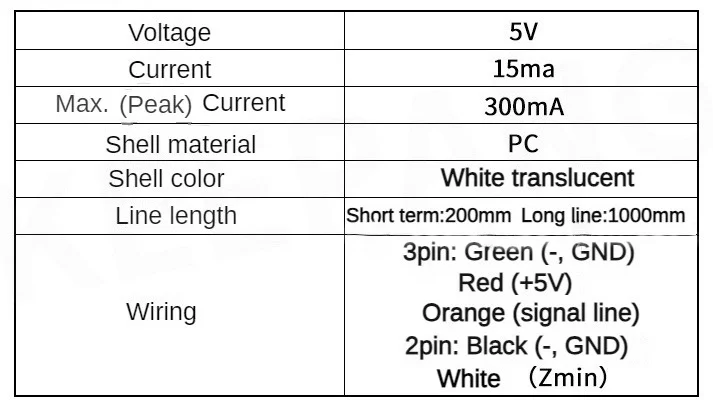
Product parameters:
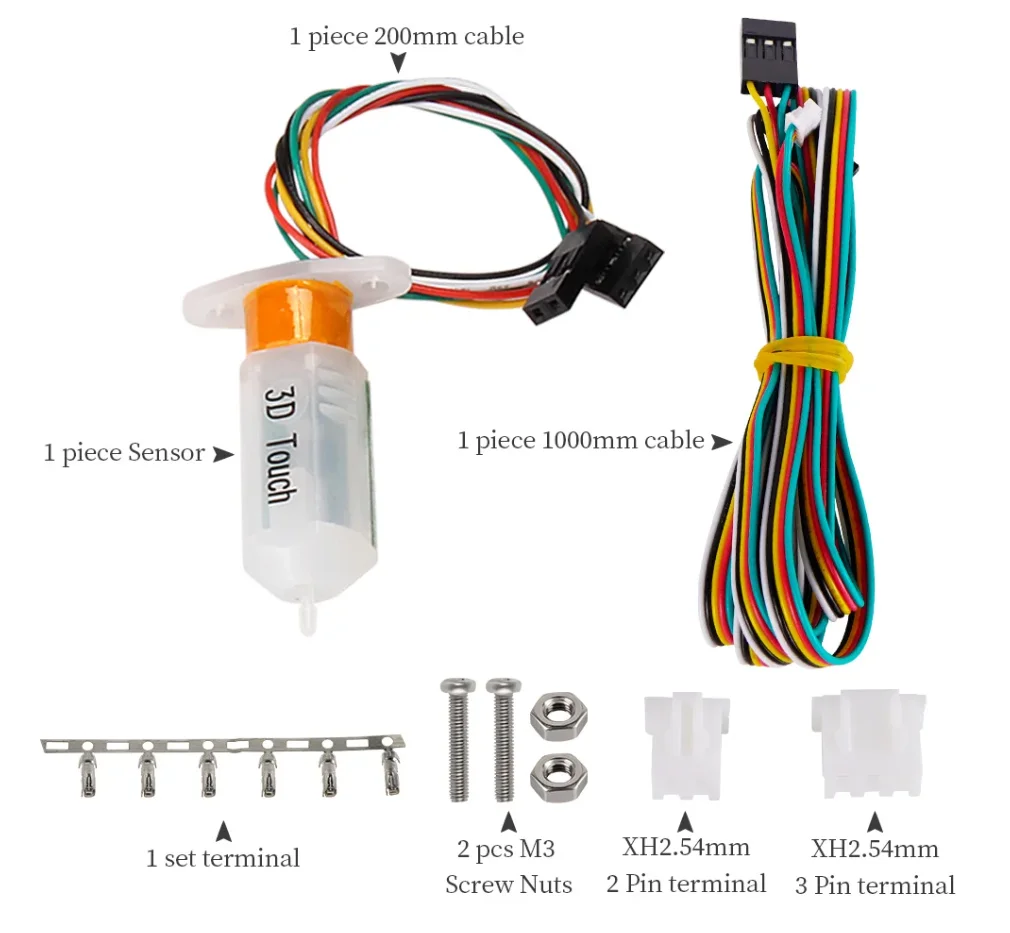
Shipping list:
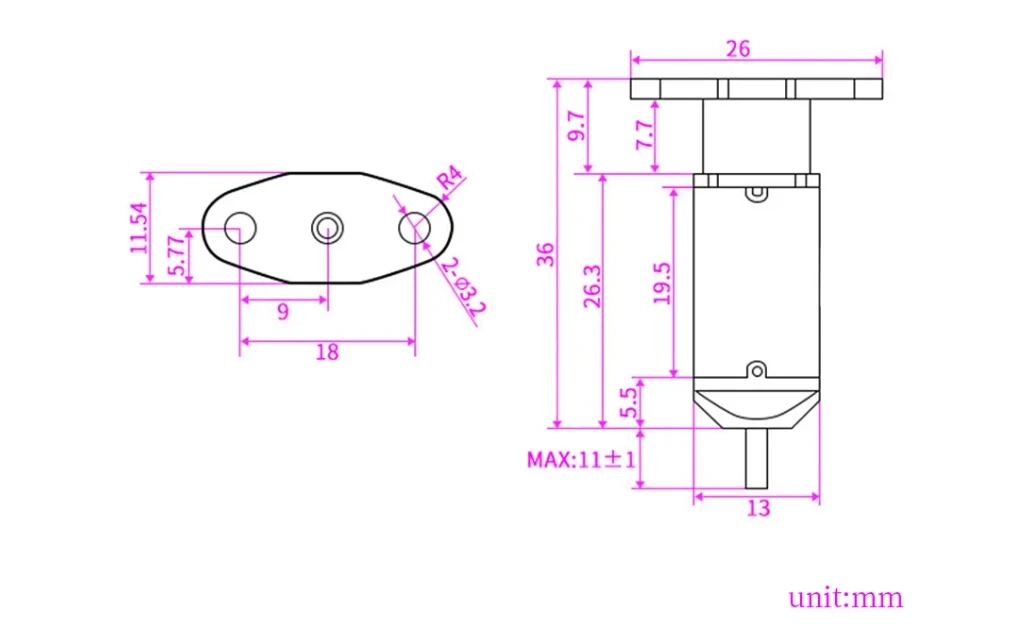
Product size:
Firmware modification:
5.1 How to modify Maelin firmware (take Marlin 1.1.X firmware as an example)
(3pin wire connects to D11 (note the positive and negative)),
2PIN wire connection Zmin
(1) Set the leveling port (Z+ or Z-), but cannot share a pin port with the limit.
Delta structure leveling can use Zmin as the interface of BLtouch.
Zmax as the interface of the machine limit switch, 13 structure can use Zmin as the interface of BLtouch,
and use the BLtouch sensor as the Z axis limit rotation ofthe machine Device.
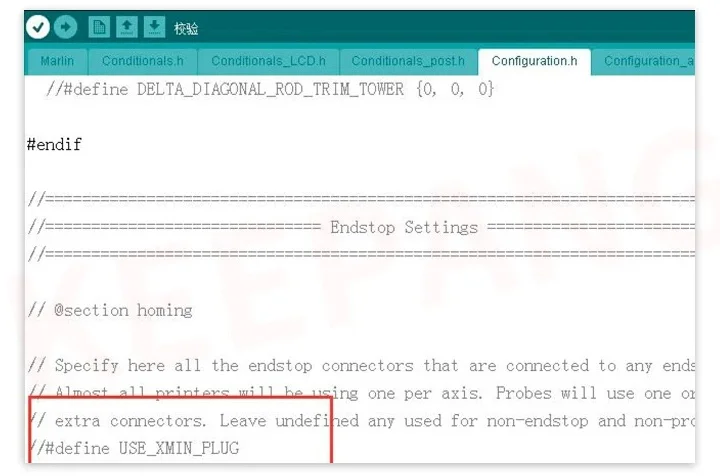
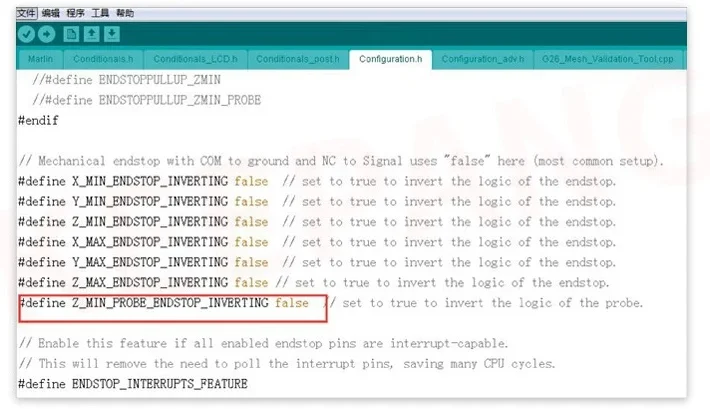
(2) Set the leveling interface type
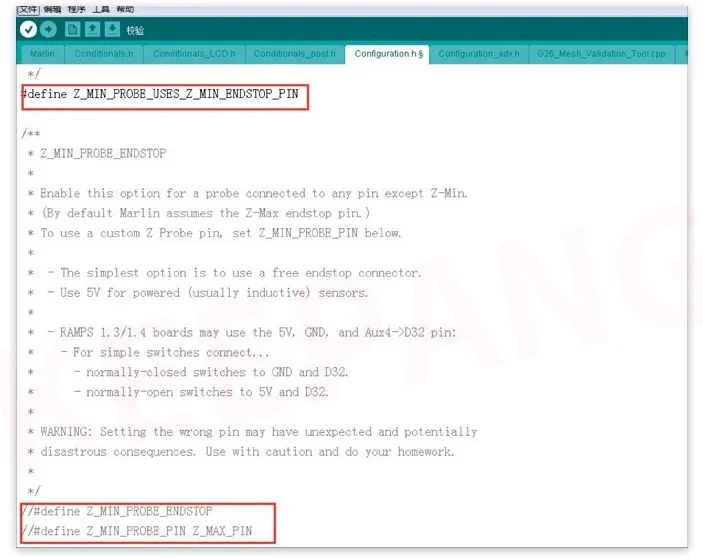
(3) EnableZ_ MIN_PROBE_ USES_ Z_ MIN_ ENDSTOP_ PIN
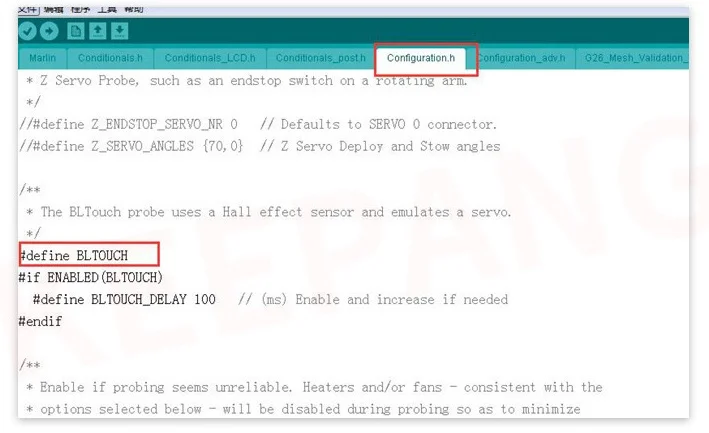
(4) Enable BLtouch leveling
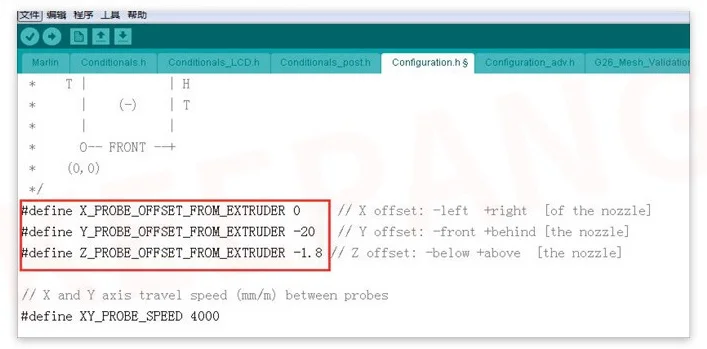
(5) Set the deviation value of the nozzle in the leveling switch probe in the XYZ direction.
(6) Set the leveling method
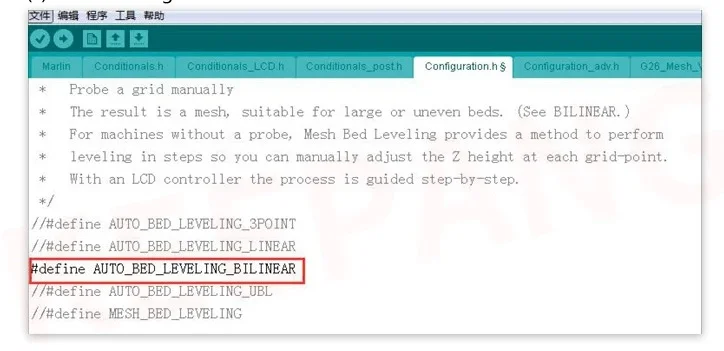
(7)Set the numberofleveling points (e.g.5*5=25 points)
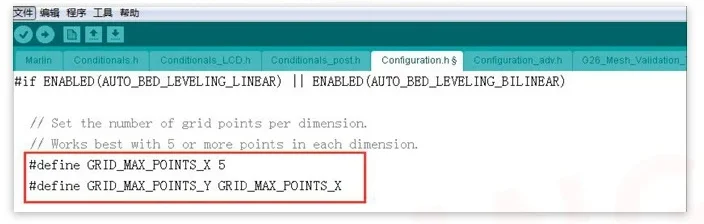
(8) Set the zero return center (it is not necessary to set,
if the machine with 13 structure uses BLtouch as the machine Z-axis limit sensor,
this must be turned on to prevent the sensor from touching the hot bed.
After opening the machine will move to the middle of the hot bed , To zero the Z axis)

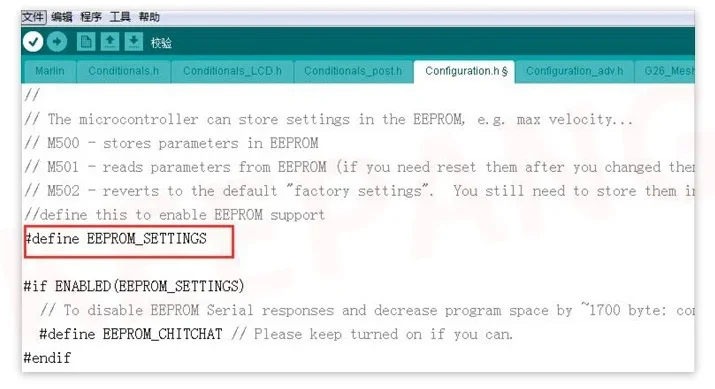
(9) Save data after setting and leveling
1) Remove the // in front of#define EEPROM_ SETTINGS, turn on M500 to save data
It is necessary to turn on this to prevent the sensor from touching the hot bed.
After turning on, the machine will move to the middle of the hot bed to return to zero on the Z axis
2)Open Marlin__main.cpp and find: add set_bed leveling_enabled(true);
as follows: case 28://G28:Home all axes, one at a tine
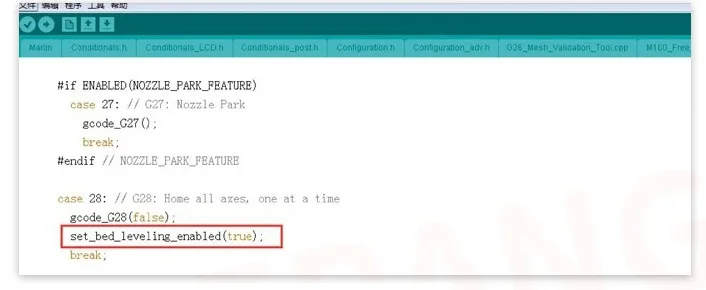
(Note:-This sentence must be added, otherwise the leveling data cannot be saved)
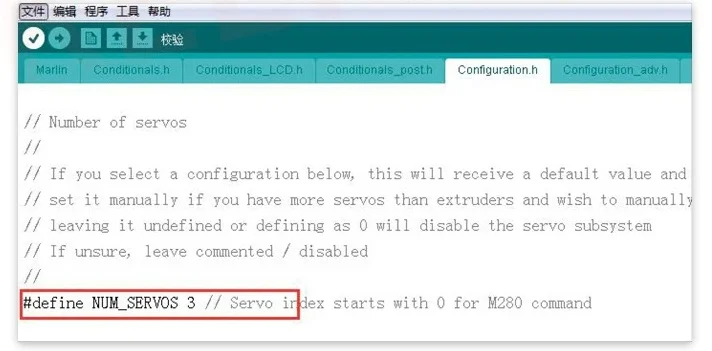
(10) Remove the //in front of #define NUM SERVOS 3




- Choosing a selection results in a full page refresh.
- Opens in a new window.